 MedDesk
Your clinic in one window not in five tabs
Appointments, medical records, payments, inventory, patient chats and odoctor — in one program. It works even without internet.
- Set up in 1 working day
- Works without internet
- Medical records are stored in Kyrgyzstan
A clinic's day in MedDesk
Real screens from the program — from the first booking in the morning to the day's revenue in the evening.
-
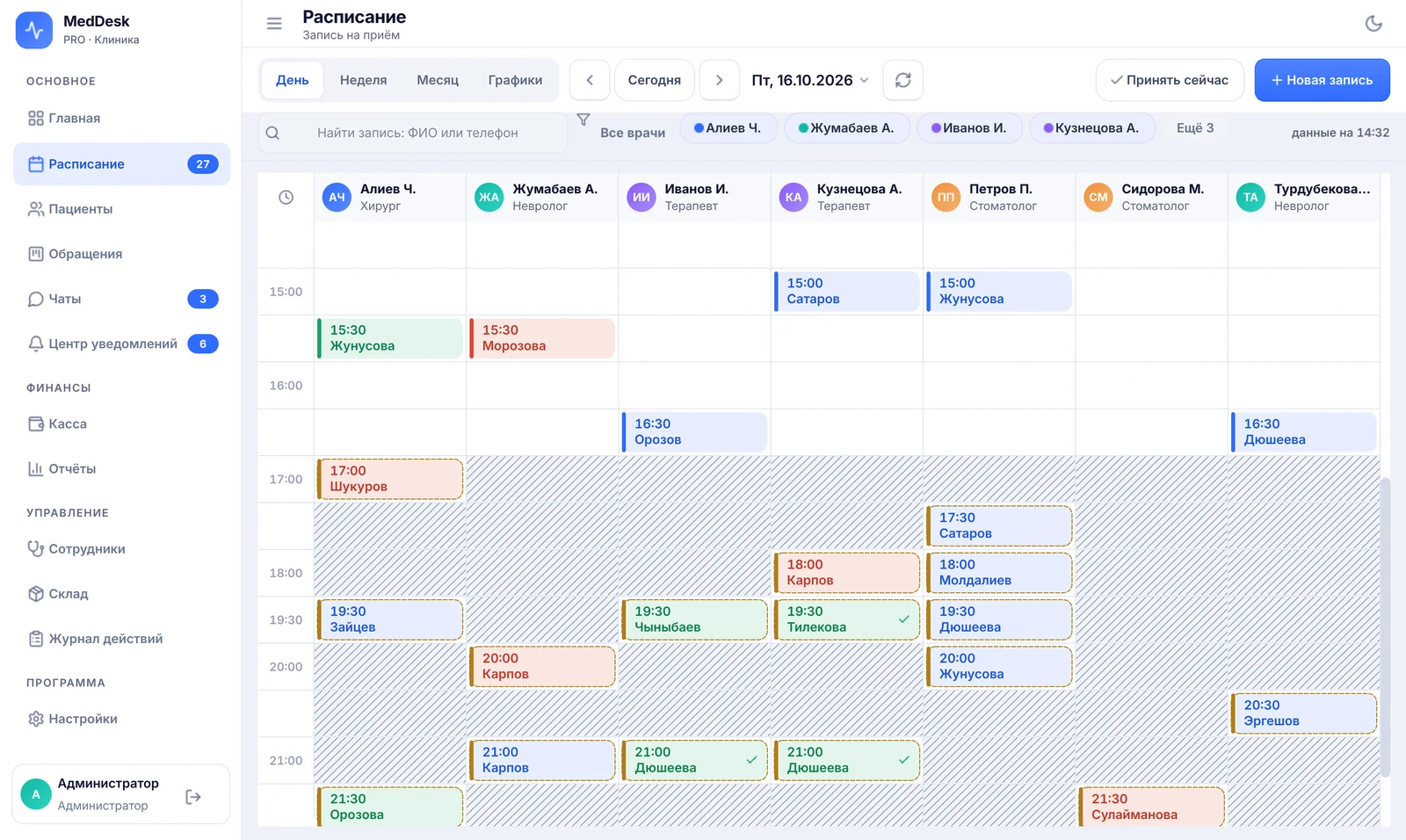
Booking
The front desk sees every doctor's day at once. Bookings from odoctor appear in the schedule by themselves, and visit marks go back to the portal.
-
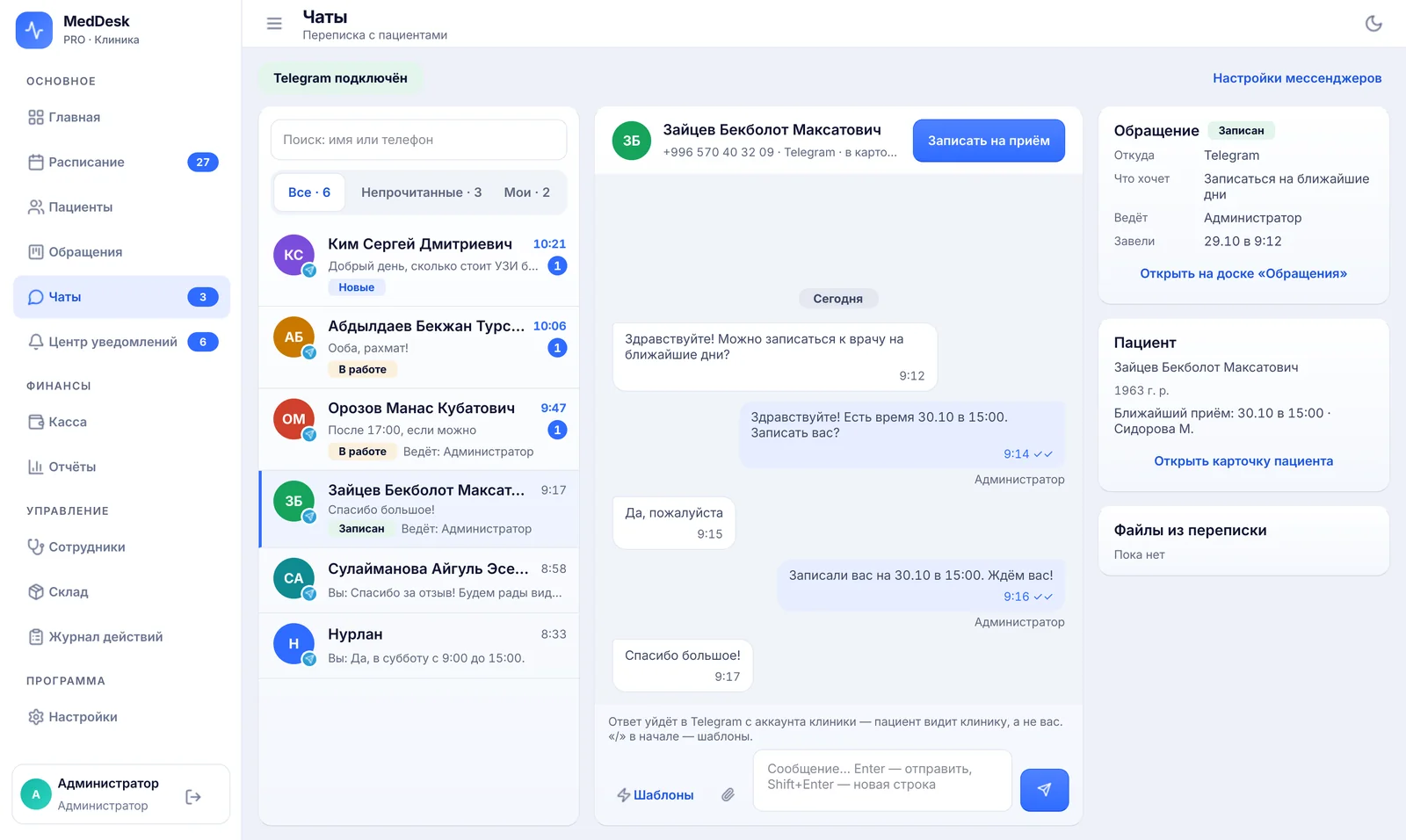
Messages
A patient writes to the clinic's messenger — the administrator replies right from MedDesk and books the visit on the spot.
-
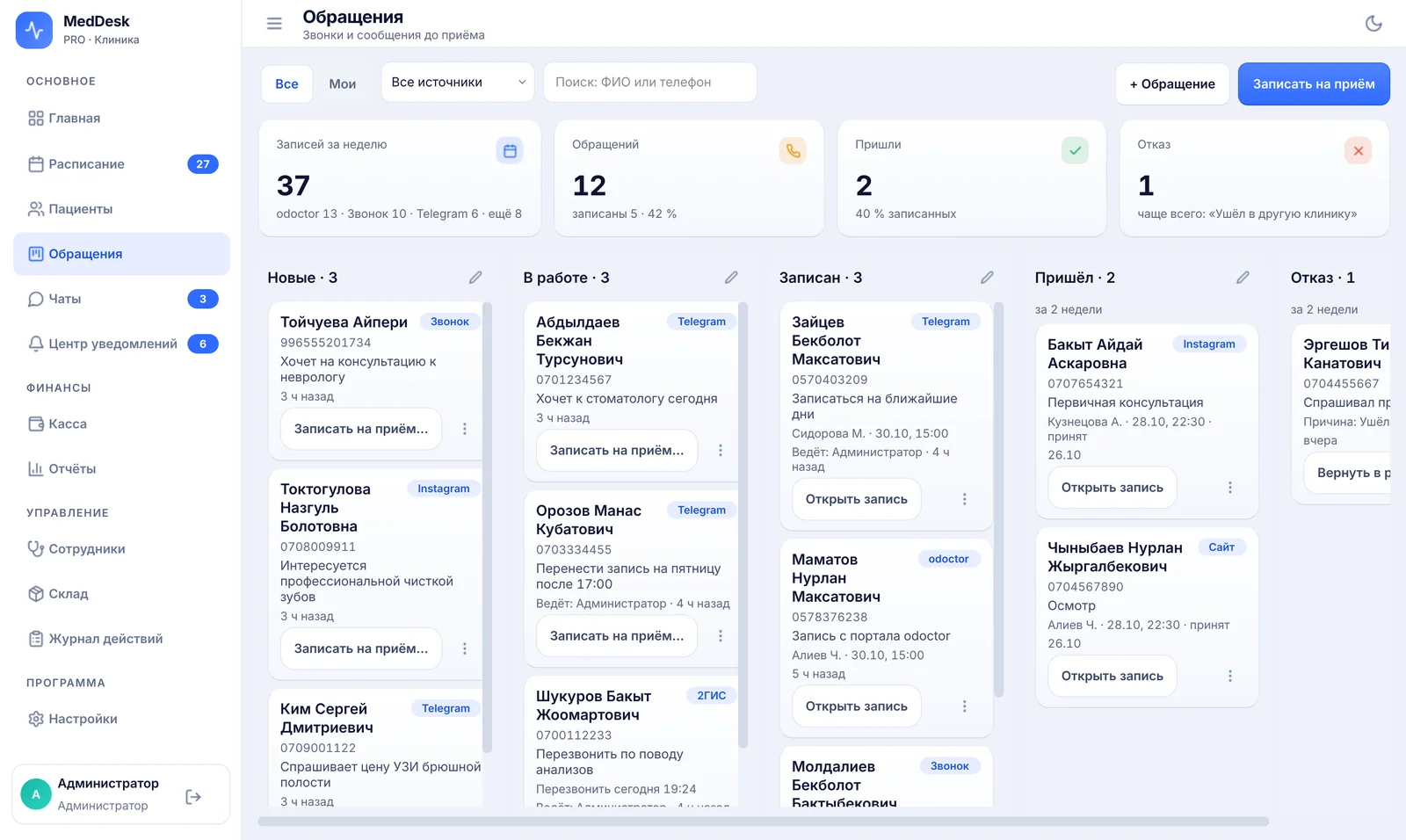
Operator panel (Call Center)
Every call and message becomes a card on the board: the operator moves it from new to arrived and sees where the patient came from.
-
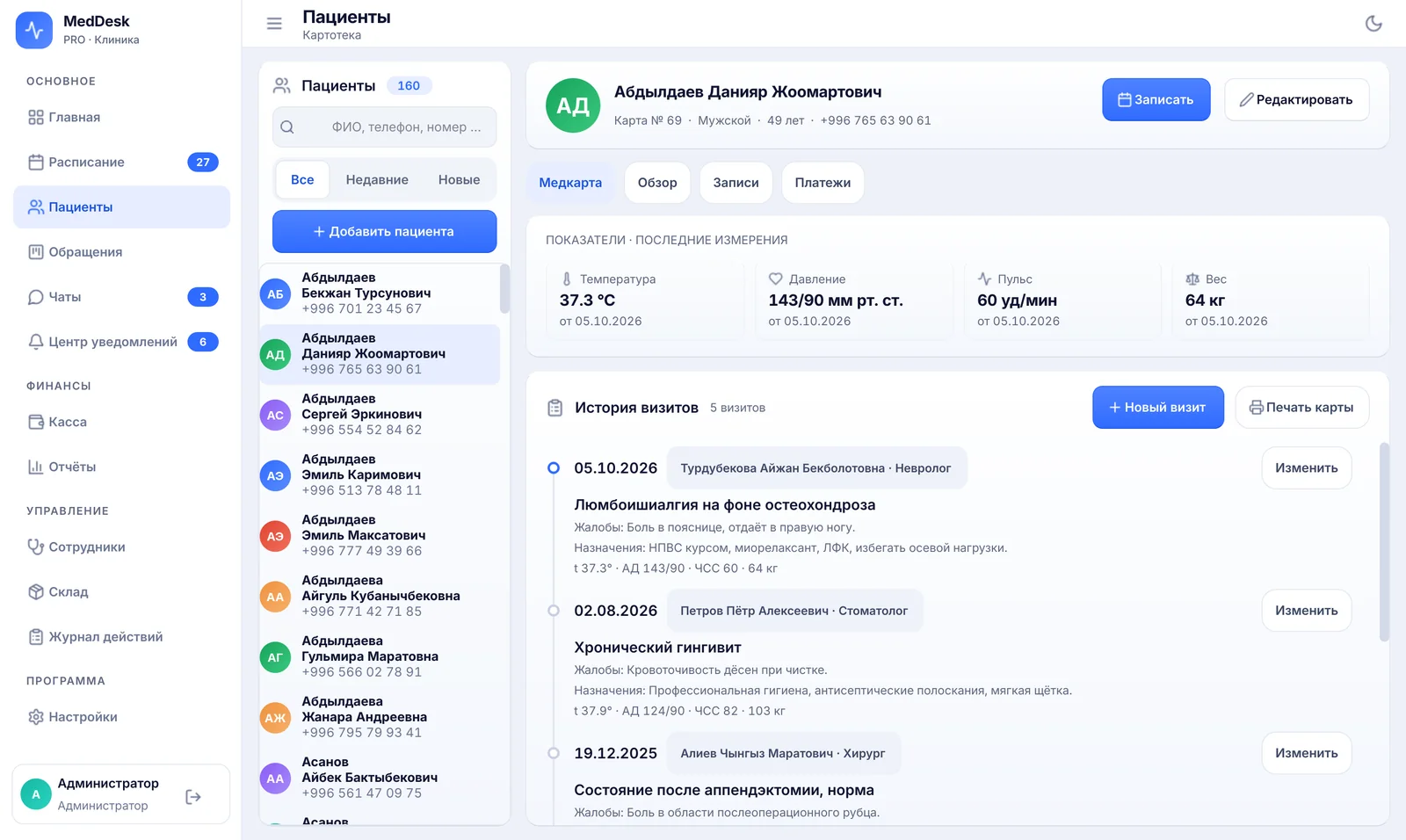
The visit
The doctor opens the patient's record: past visits, blood pressure and pulse, visit notes from a template in a couple of clicks.
-
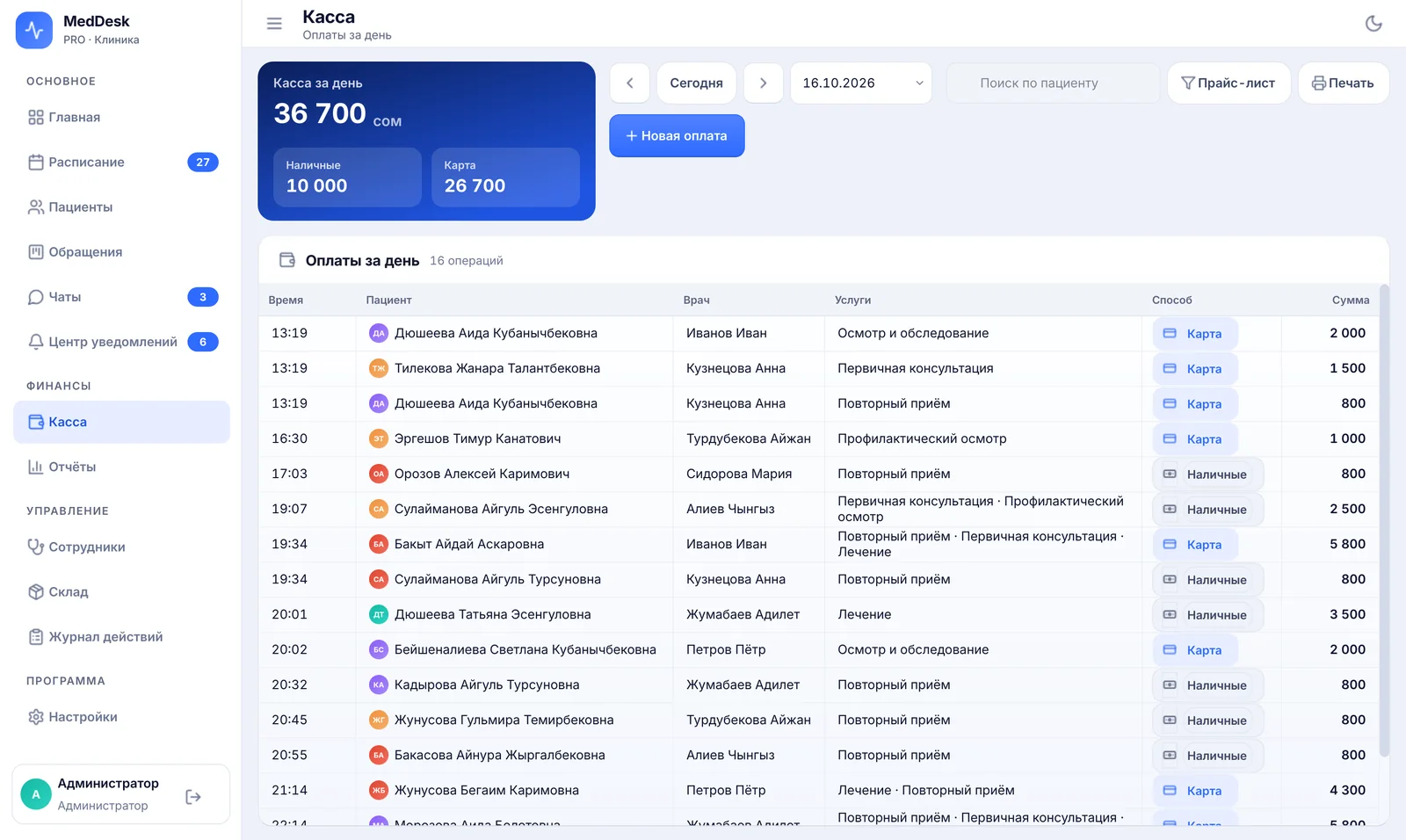
Payment
The cash desk takes cash and card, partial payments and refunds, and prints a receipt. The doctor's pay is calculated from every payment.
-
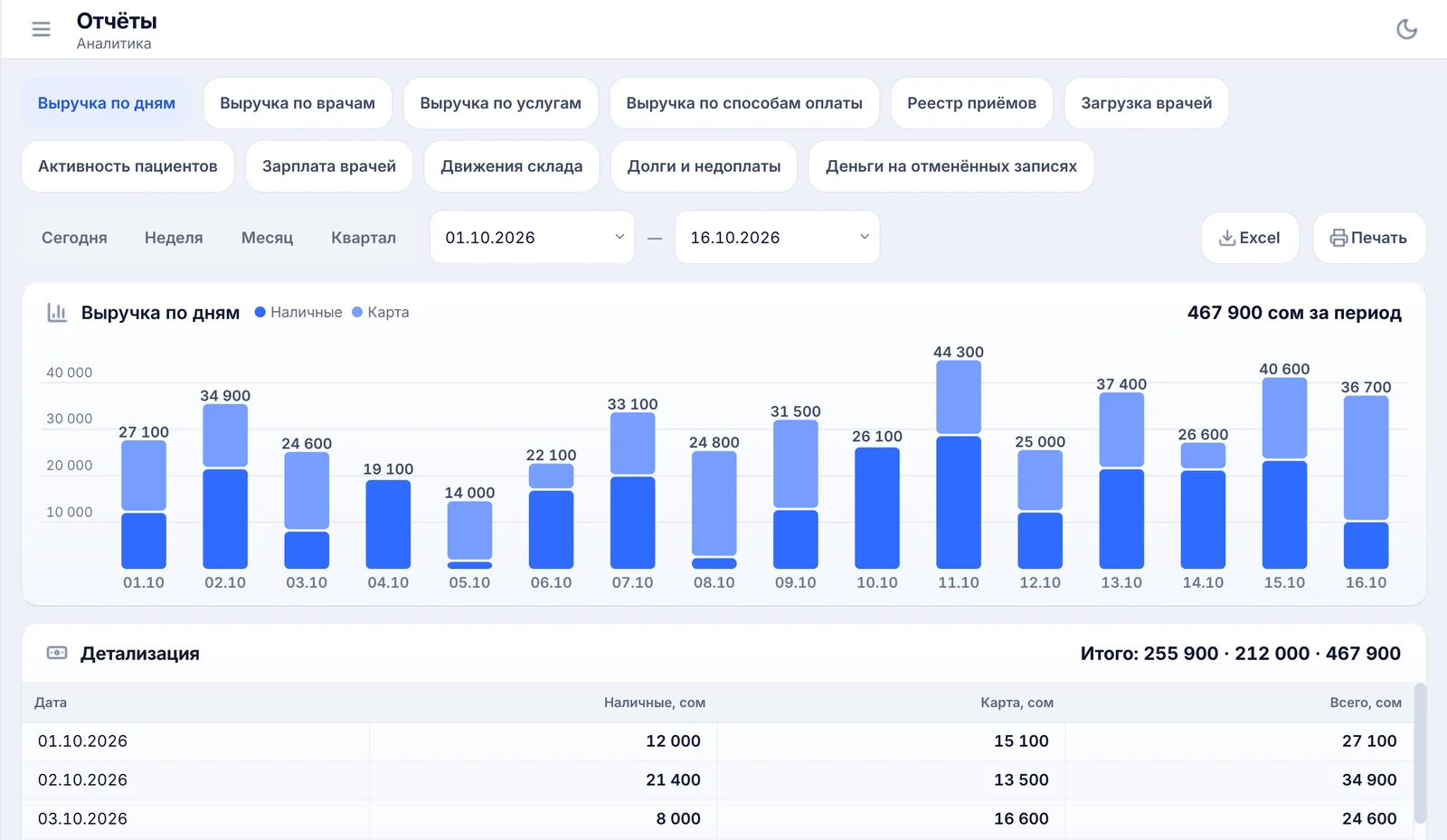
End of the day
The owner sees revenue by day, doctor and service, doctors' workload and no-shows — and exports it all to Excel.


Internet down? The clinic keeps working
MedDesk runs on a computer inside the clinic. The internet is needed for odoctor, messengers and updates.
Online: odoctor bookings and patients' messages arrive right away.
Offline, yet booking, medical records and the cash desk keep working. odoctor bookings and messages catch up when the internet is back.
A browser-based CRM usually won't even open at that moment.
Security and patient data
Medical information is confidential. Here is how MedDesk stores and protects it.
- Stored in Kyrgyzstan
- The working database is on the clinic's computer. Medical records, visit notes and payments are stored in Kyrgyzstan.
- Seven access roles
- Front desk staff and operators can't open medical records, and operators don't see the cash desk.
- Activity log
- See who booked, moved or cancelled a visit, took a payment or changed visit notes.
- Visit note history
- Edits stay in the history. A mistaken note isn't deleted — it's voided with a stated reason.
- Personal sign-in
- Every staff member has their own login. The owner's password can be restored only through support.
- Signed updates
- MedDesk installs only updates carrying our digital signature — at night, when the clinic is closed.
Important under the law. Kyrgyz law does not prohibit foreign clouds, but treats them as a cross-border transfer of data. The regulator has not yet recognized any country as having adequate data protection, so a foreign cloud needs a separate legal basis — in practice, each patient's consent, which they may withdraw.
Up and running in one working day
Morning
We install the program
The server and workstations, on your computers.
Afternoon
We move data and set things up
Doctors, services, prices and schedules, staff roles, the odoctor connection.
Evening
We train your staff
The next day the clinic works in MedDesk.
A 15-minute demo of MedDesk
Online or at your clinic, on your own tasks. Call or write, whichever suits you.
Bishkek, Kyrgyzstan